






In today’s fast-paced digital world, emails have become an essential part of how we communicate, both personally and professionally. However, an overflowing inbox can quickly become overwhelming, distracting, and stressful. If left unchecked, your emails can consume valuable time and reduce productivity.
Fortunately, managing your emails doesn’t have to be a daunting task. With the right strategies, tools, and habits, you can keep your inbox under control and reclaim your time. In this blog post, we’ll explore practical tips for managing your emails effectively.
Why Email Management Matters
Keeping your emails under control is not just about having a tidy inbox—it’s about improving your overall workflow and reducing stress. A well-managed inbox helps you:
– Find important messages quickly
– Focus on priority tasks
– Avoid missing deadlines or opportunities
– Improve communication with colleagues and friends
– Maintain a healthy work-life balance
Step 1: Set Specific Times for Checking Email
Constantly checking your inbox can interrupt your workflow and increase stress. Instead:
– Designate email-checking windows: For example, once in the morning, once after lunch, and once before finishing work.
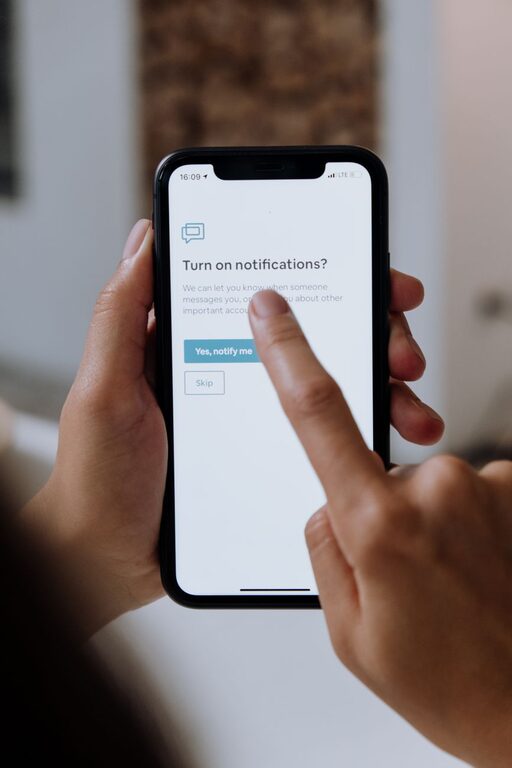
– Turn off email notifications: This helps you stay focused without getting distracted by every new message.
– Stick to your schedule: Treat email times like appointments and avoid checking outside of these periods.
Step 2: Organize Your Inbox Using Folders and Labels
A cluttered inbox makes it difficult to find important emails. Organizing can help:
– Create folders or labels for categories such as Work, Personal, Urgent, Follow-up, and Newsletters.
– Use filters or rules to automatically sort incoming emails into the right folders.
– Archive or delete emails regularly to keep your inbox clear.
Step 3: Prioritize and Respond Efficiently
Not all emails require the same level of attention. Here’s how to prioritize:
– Skim subject lines and sender names to quickly identify important emails.
– Respond immediately to short, simple messages that take less than 2 minutes.
– Flag or mark emails that require more detailed responses or follow-up.
– Set realistic response times to manage expectations from coworkers or clients.
Step 4: Unsubscribe from Unnecessary Newsletters
Many of us receive newsletters or promotional emails we no longer read. To reduce clutter:
– Regularly review your subscriptions and unsubscribe from those you don’t find useful.
– Use tools like Unroll.me or built-in email features to manage subscriptions easily.
– Create a separate folder for newsletters to review them at your convenience without cluttering your main inbox.
Step 5: Use Email Templates and Automation
If you often send similar messages, save time by:
– Creating email templates for common replies or requests.
– Using canned responses available in most email clients to avoid rewriting the same information.
– Automating routine tasks such as appointment confirmations or follow-up reminders with email tools and plugins.
Step 6: Keep Emails Clear and Concise
When sending emails, clear communication can reduce back-and-forth messages:
– Write concise subject lines that summarize the email’s purpose.
– Keep emails brief and to the point. Use bullet points or numbered lists to improve readability.
– Include clear calls to action or next steps.
– Avoid overly formal or complex language unless necessary.
Step 7: Archive and Backup Important Emails
To avoid losing important information:
– Regularly archive emails you need to keep but don’t require immediate attention.
– Back up your email data using cloud services or local storage to prevent loss due to technical issues.
– Use search functions effectively by tagging emails with relevant keywords.
Step 8: Choose the Right Email Client and Tools
The email platform you use can impact your efficiency:
– Explore different email clients—some offer enhanced organization features like priority inbox or smart sorting.
– Consider plugins or add-ons that help with scheduling, tracking, or managing email volume.
– Use mobile apps that sync well across devices so you can manage emails on the go.
Bonus Tips for Staying on Top of Your Inbox
– Implement the “Inbox Zero” method: Aim to keep your inbox empty or near empty by handling every email as soon as possible.
– Set email-free periods during your workday for focused tasks.
– Train coworkers and contacts on your preferred communication style and response times to manage expectations.
Conclusion
Managing your email doesn’t have to be overwhelming. By setting specific times to check emails, organizing your inbox, prioritizing messages, unsubscribing from unnecessary lists, and using templates and automation, you can take control of your inbox and boost your productivity. Over time, these simple habits will reduce stress and help you stay focused on what matters most.
Remember, the goal is not just an empty inbox but a healthier way to handle digital communication. Start by adopting a few of these strategies today, and enjoy a more organized, calm email experience.